

From a messageto a person.
A customer asks for a haircut. Follow the WhatsApp enquiry from the first reply to the person who checks the salon diary.
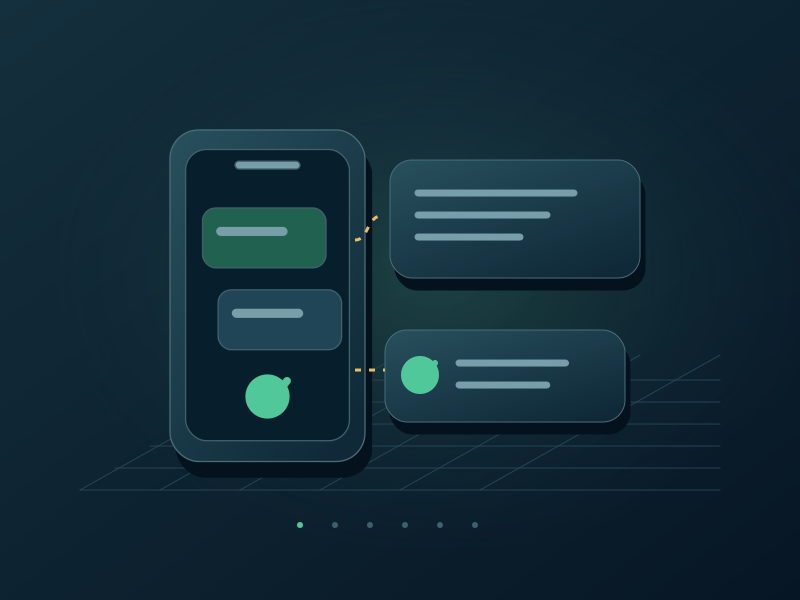 Manama · Illustrative salon

Could I book a haircut on Thursday?
Website form received
Talk to reception →The website saves the request before WhatsApp opens.
See the reply →Manama · Illustrative salonWhat time would suit you?
Thursday at 5, please.
The welcome reply collects the preferred time.
See the handover →Manama · Illustrative salon- Requested
- Thu · 5 pm
- Owner
- Reception
- Source
- Website form
Reception gets the request, preferred time and source together.
See the follow-up →Manama · Illustrative salonI’ll check the diary and get back to you here.
Awaiting availability
A receptionist checks the diary before confirming the appointment.
Start again ↺Plans
Setup and monthly care.
Setup connects your number and website. Leads Care covers changes and reporting after launch.
| Service | SetupOne-time setupFrom BHD 99 | Leads CarePer monthBHD 35 a month |
|---|---|---|
| WhatsApp replies | Welcome, away, hours + 5 FAQs | Up to 2 flow or text changes a month |
| Website enquiries | 1 capture flow, form + handover | Monthly lead report by source |
| Support | Number setup, onboarding + testing | Monitoring, fixes + template approval help |
| Enquire | Discuss setup ↗ | Discuss care ↗ |
Meta messaging and provider fees are separate. Your written quote names the costs and who bills them.
Full inclusions and terms
Setup and ongoing care.
| Plan | Price | Included |
|---|---|---|
| Setup | From BHD 99 | WhatsApp Business Platform onboarding help and number setup; welcome, away and business-hours replies; answers to five common questions; one lead-capture flow with hand-off to a person; website form connected to WhatsApp; testing. |
| Leads Care | BHD 35 a month | Monitoring and fixes; up to two flow or text changes a month; help with template approval; a monthly lead report by source. |
Meta messaging charges and any provider fees are separate from our service fees; we confirm the expected costs and billing arrangement in your quote before anything goes live.
Discuss setup · Discuss Leads Care
Prices are in BHD. GrowBahrain does not charge VAT on its service fees. Third-party charges are listed separately where applicable.
What Meta charges, in plain words
Meta messaging charges are separate from our setup and care fees. A provider may also charge its own fees; your quote confirms the costs and who bills them.
- Free replies: Meta does not charge for service messages or utility messages sent within the 24-hour customer-service window. Each customer message restarts that window.
- Paid messages: Outside applicable free windows, charges depend on the delivered message's category and the recipient's market.
- Free entry points: Customer conversations started through qualifying click-to-WhatsApp ads or Facebook Page action buttons may have a 72-hour free messaging window under Meta's conditions.
We recheck the applicable rates and rules before launch. Meta's official pricing · checked 27 October 2026.
Where the enquiry came from
Google to WhatsApp
Get found on Google. Get leads on WhatsApp.

Contact
They tap WhatsApp or send a form. The form is saved first, then WhatsApp opens with their request, so no lead is lost.
Follow up
Your team gets the conversation with the details already collected.
Report
Every month you see recorded lead sources and landing pages where the agreed tracking can measure them. Search terms cannot always be matched to an individual lead.
Setting up WhatsApp
What we set up
A useful system behind the conversation.
Account & number setup
Help with WhatsApp Business Platform onboarding, number configuration and the relevant business verification process. Approval and any verification badge remain subject to Meta’s requirements.
Replies & workflows
Welcome messages, business-hours responses, common questions and structured journeys to collect the details your team needs.
Booking & order requests
Help customers submit a request and connect it to your agreed process. Availability checks, confirmations and software integrations are scoped for your business.
What a good WhatsApp flow looks like
Automation should make it easier to reach you, not harder. Every flow we build follows these rules:
- A short first reply, sent at once, that says what the customer can do next.
- Buttons, not long menus. Three or four clear choices beat a list of ten.
- Only the details your team needs, asked once.
- A person, one tap away, at every step.
- Honest after-hours replies: when the team will answer, not a promise that someone is there.
- The lead saved, with its source, so nobody has to ask twice.
Choose your inbox
WhatsApp Business app or WhatsApp Business Platform?
WhatsApp Business app
One person answering a manageable number of chats
WhatsApp Business Platform (the "API")
Teams, repeated questions, bookings and leads that must not be lost
Compare who replies, automation and costs
They sound the same, but they are two different products from Meta.
| WhatsApp Business app | WhatsApp Business Platform (the "API") | |
|---|---|---|
| What it is | The free app on your phone | A connection to WhatsApp through software, set up with a provider |
| Who answers | You, from the phone and a few linked devices | Your team, from a shared inbox or your CRM |
| Automation | A greeting, an away message and quick replies | Structured flows, buttons, lead capture and hand-off to a person |
| Messages you start | Broadcasts with tight limits | Approved template messages: confirmations, reminders and, with consent, offers |
| Connected to other systems | No | Yes: website forms, CRM, bookings, where scoped |
| Cost | Free | Setup, a service plan, Meta charges for billable messages, and any separate provider fees |
| Good for | One person answering a manageable number of chats | Teams, repeated questions, bookings and leads that must not be lost |
If the app still works for you, keep it. When messages are missed, answered twice, or nobody knows who replied, it is time for the Platform.
Team check
Is your business ready for the WhatsApp API?
Tick the ones that sound like your business:
Three or more ticks? The Platform will likely save your team time. Fewer? A well-set-up Business app and a good website may be enough for now, and we will tell you so.
Booking requests
Responsible automation
Built around your customers. Configured for current platform rules.
We scope automation around your own services, customer consent, messaging requirements and a route to human support. AI-assisted business support can be considered where it fits the workflow and applicable Meta terms.
- Every flow ends with a way to reach a person.
- Marketing messages only to customers who agreed to receive them.
- Platform approval stays with Meta; we never promise a badge.
Booking conversation example
Illustrative conversation. Your flow is configured around your services.
A salon in Manama: example conversation
A salon in Manama
- “Are you open now?”
- “How much is a haircut?”
- “Can I book Thursday 5 pm?”
- “Where are you exactly?”
- “I want to talk to someone”
Every flow has a route to a person
WhatsApp marketing in Bahrain: consent first
Sending offers on WhatsApp works when people asked for them, and it damages your number when they did not.
- Ask first. Send marketing only to customers who agreed to receive it, and keep a record of that consent.
- Make it easy to stop. Every marketing message should let the customer opt out.
- Use approved templates. Messages you start must use templates approved by Meta.
- Never buy number lists. Messages to people who did not opt in get reported and can get your number restricted.
We set up consent capture and opt-outs as part of every marketing flow.
Team workflows
Beyond the inbox
Connect the work that follows.
We start with the tools that give your team a useful result. Custom tools and integrations are scoped separately.

Accounts tracking (Grow Ledger)
Daily sales, expenses and customer payments. Grow Ledger is in final testing.
Booking management
Keep appointment and booking records organised, with WhatsApp integration where supported and agreed.
Office AI assistants
Explore assistants for routine staff questions, document tasks and draft data entry, with human review for important records.
Grow Leads · FAQ
WhatsApp questions
Know the setup. Know the ongoing cost.
What does WhatsApp setup cost?
Setup starts from BHD 99 and covers platform setup, the basic replies, answers to five common questions, one lead-capture flow and the website form connection. Leads Care is BHD 35 a month, with monitoring, up to two changes a month and a monthly report. Meta messaging charges and any provider fees are separate from our service fees; we confirm the expected costs and billing arrangement in your quote before anything goes live.
Is an API the same as a WhatsApp button?
No. A click-to-chat button opens a conversation. A Business Platform integration supports agreed automation and team workflows and can have ongoing charges.
Can you guarantee a verified badge?
No. We can assist with the relevant process, but eligibility and approval are controlled by Meta.
Can it work with my software?
We review the systems you use and confirm what can be connected, what data is needed and any additional integration cost before starting.
What does Meta charge?
It depends on the message category, the recipient's market and whether a free messaging window applies. See 'What Meta charges' above. We check the current rules and confirm the expected messaging and provider costs before launch.
What happens to leads from my website?
Website forms save each enquiry and then open WhatsApp with the details filled in. You see every lead in one list and in your monthly report.
Plan your workflow
What does your team answer every day?
Show us the repeated questions. We help you plan a useful workflow, scoped and priced in writing before anything goes live.
Answer the same question once. Properly.
About Grow Leads
GROW LEADS · WHATSAPP AND FOLLOW-UP
WhatsApp automation for Bahrain businesses, with a person always one tap away.
Turn a message into a next step. We set up WhatsApp, CRM and lead follow-up around how your team works, so each conversation has an owner and a next step.